

Upgrade Server
Upgrading moves a KVM VPS to a larger package; CPU cores, RAM and disk grow to match it. Available on KVM VPS.
Picking a package
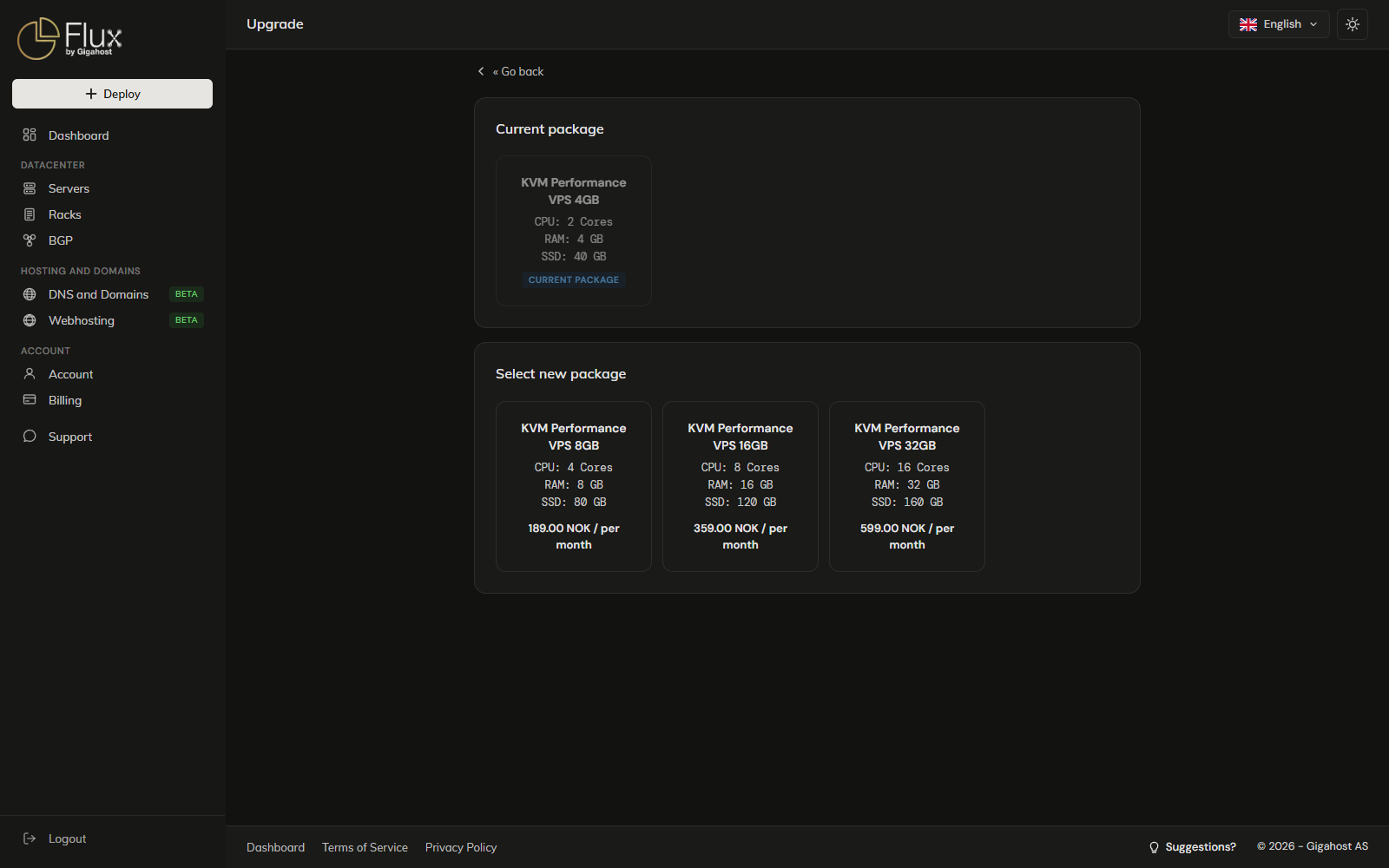
Only packages with more RAM than the current one, in the same product group, on the same cluster, in your order's currency and available in the server's region are listed. Downgrades are not offered. If nothing qualifies, open a Support ticket to upgrade.
Upgrade is disabled while an ISO is mounted, while the server is in rescue mode, while an install runs and while a snapshot rollback runs.
Confirming
WARNING
Confirming shuts the server down at once for the upgrade, which can take a few minutes. Save your work first. The new price applies to your order from this point.
Tick the confirmation, click Start upgrade and confirm. Do not attempt power actions or other changes while the upgrade runs.
After the upgrade
No data is lost. CPU and RAM are picked up on boot. The disk is enlarged when the new package is bigger, but the extra space is not usable until you reinstall or grow the partition and filesystem yourself. Check with nproc, free -h and lsblk.
When the upgrade is refused
- Any snapshot on the server blocks the upgrade: "Unable to upgrade server with existing snapshots. Remove and try again." Delete the snapshots first.
- "Upgrade unavailable in this region." The chosen package is not sold in the server's region.
- "Upgrade unavailable due to service being out of stock." or "Unable to upgrade server due to product or service being out of stock." No node on the cluster has room; try again later or open a Support ticket.
- "Upgrade unavailable in your currency. Contact support." The package has no price in your order's currency.
- "Unable to upgrade server automatically, contact support." The server's package is not tied to a cluster and cannot be upgraded from the panel.