

Console
The Console tab is a VNC session to the server, available on KVM and LXC servers. It works like a monitor and keyboard plugged into the machine, so it works before the OS has booted and when the network or SSH is broken. Dedicated servers use an IPMI management session instead.
Opening the console
The console is disabled while the server is booting to rescue mode or a snapshot rollback is running.
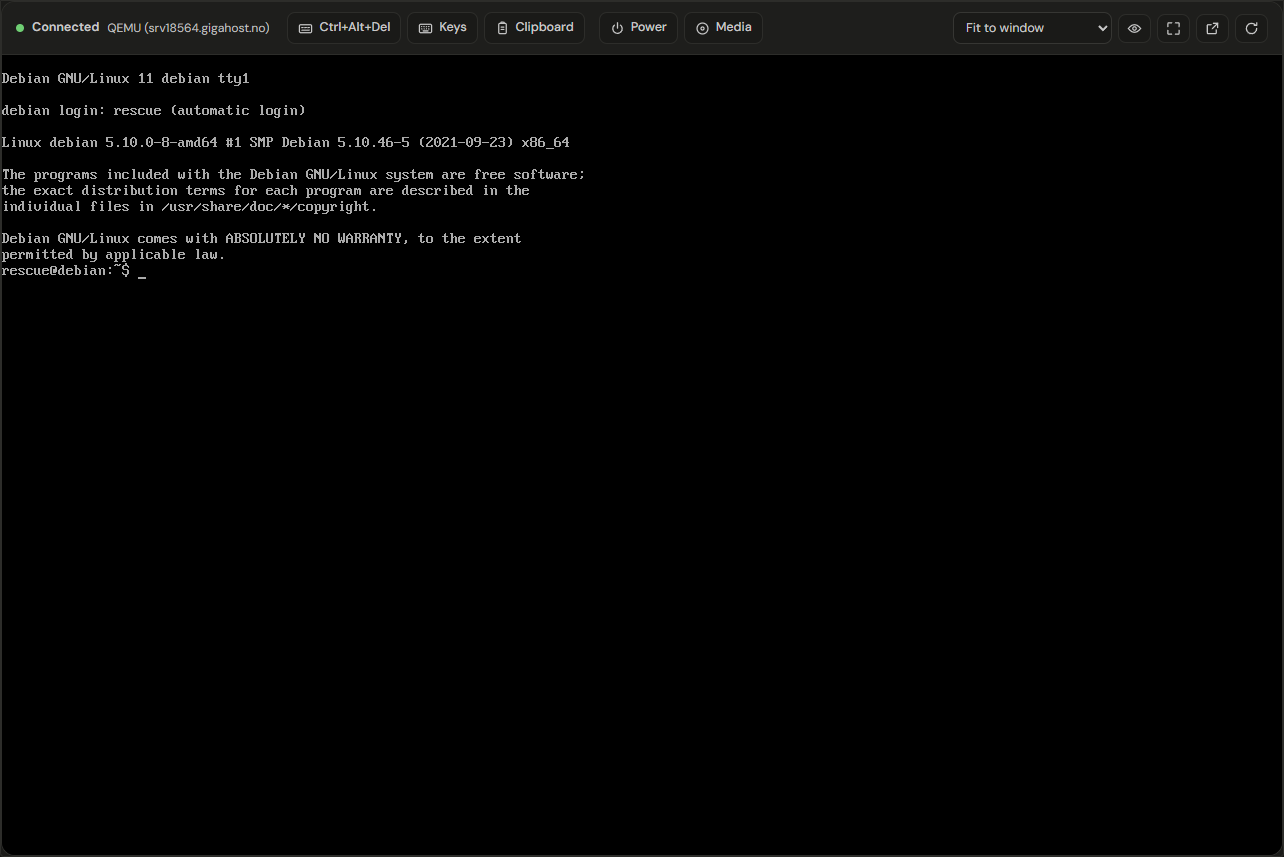
Each connection uses a ticket that is valid for 60 seconds and one connection. If the session drops, click Reconnect to get a new one.
The console stays connected while you switch to other tabs on the server page. Leaving the server page ends the session.
Ctrl+Alt+Del
Browsers catch Ctrl+Alt+Del and similar combinations before the console sees them. Send them with the Ctrl+Alt+Del button or the Keys panel.
Keys
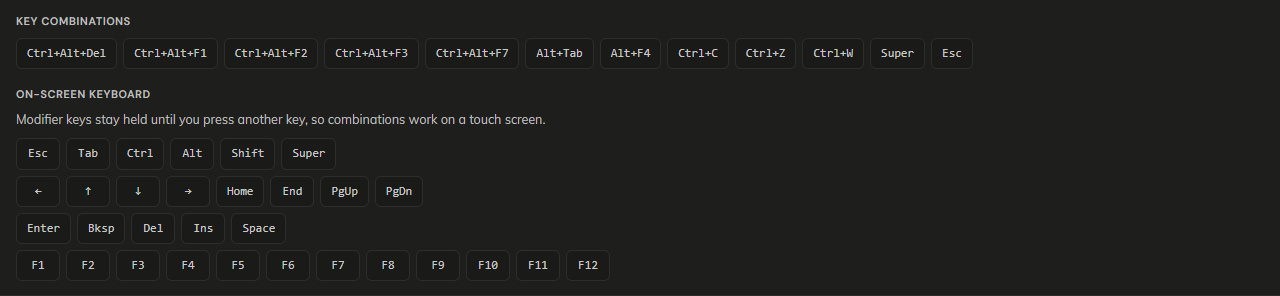
On the On-screen keyboard, a modifier (Ctrl, Alt, Shift, Super) stays held until you press another key or tap the modifier again, so Ctrl followed by C sends Ctrl+C.
Clipboard
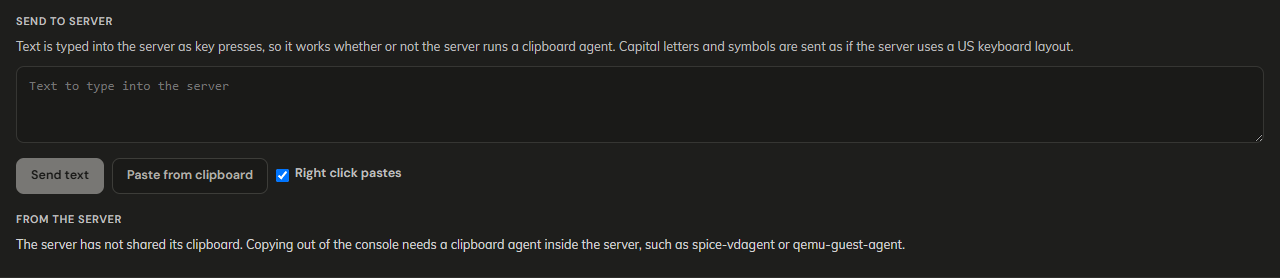
Send text and Paste from clipboard type the text into the server as key presses, so they work without a clipboard agent. Capital letters and symbols are sent as on a US keyboard layout; on a server with another layout, symbols can come out differently.
Right click pastes is on by default: a right click on the console pastes your browser clipboard instead of sending a right click to the server. Turn it off when the server needs the right mouse button.
From the server shows text copied inside the server only when the server runs a clipboard agent, such as spice-vdagent or qemu-guest-agent.
Power

These act on the server itself, like the buttons in the action bar: Reboot is a forced reboot and Shut down is a hard stop, not a request to the operating system. See Power Actions.
Media
Available on KVM servers. Media lists the ISO files in your ISO library.

Mount is the same mount as on the ISO tab: the server reboots from the ISO. A file can be mounted once it has finished uploading. Dismount current media removes whatever is mounted.
Scaling
Resize server display asks the server to change its own resolution to match the console area.
When the console is unavailable
- "Server suspended, unable to open console.": settle the outstanding balance or contact Support.
- "The connection to the server was lost." or "The console connection was rejected.": click Try again for a new ticket.
- "Unable to start console, host unavailable.": wait and try again, then contact support if it persists.