

BGP (per-server)
The BGP tab on a server sets up BGP sessions on that server. Available on KVM and dedicated servers. Sub-client users cannot use it. Register an ASN on the BGP overview first.
ASN header card
Configure session stays disabled until the account has submitted at least one ASN, and only ASNs with status ACTIVE can be chosen for a session. Add ASN works as on the BGP overview.
Creating a session
In Configure session, pick the ASN and the IPv4 address, the IPv6 address or both on this server for the session. Redundant sessions where available depends on the location. Send default route only gives you a default route instead of the full table.
The session stays PENDING until we activate it.
Sessions
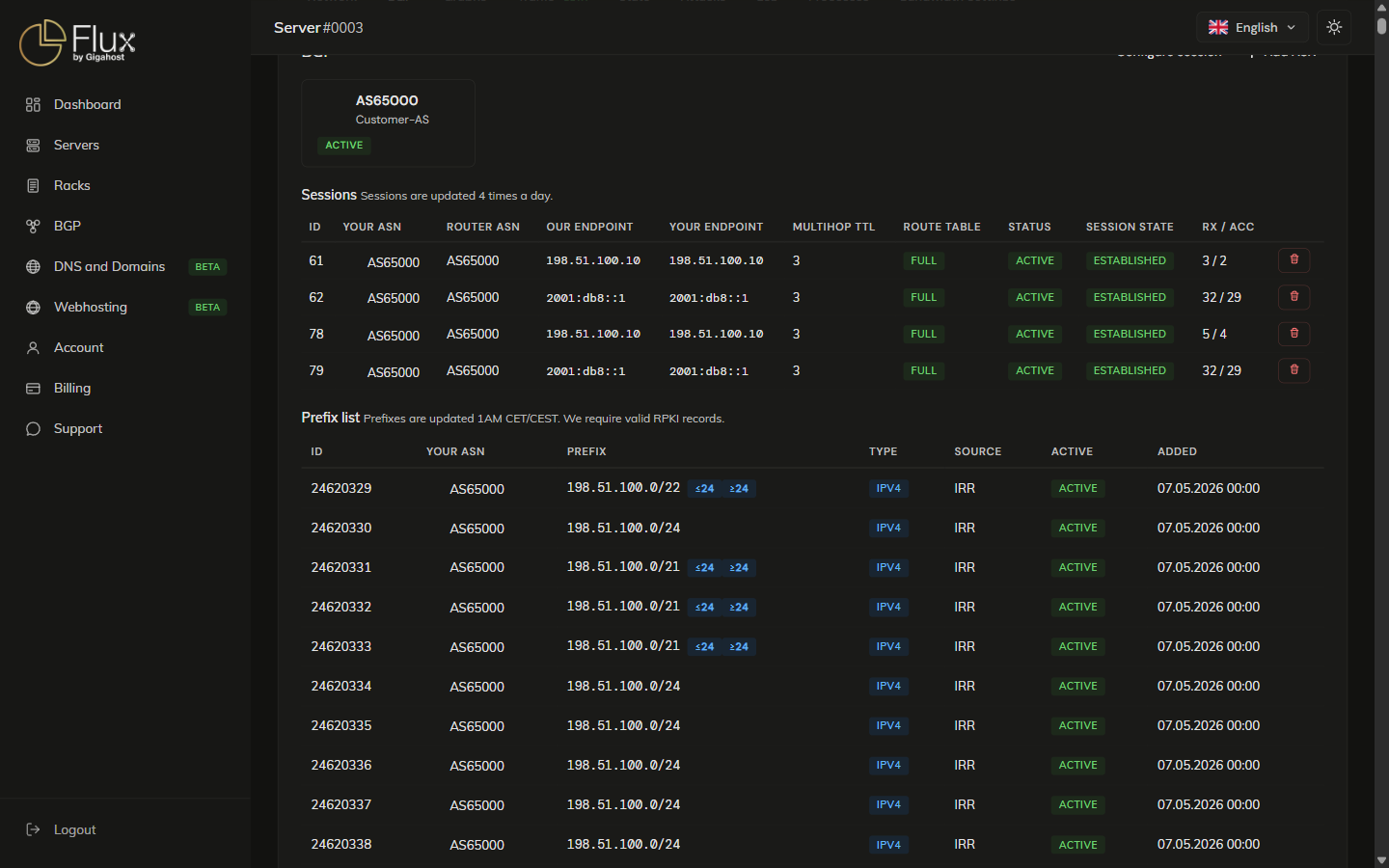
Sessions come in IPv4 + IPv6 pairs. Status values are explained under Sessions tab on the BGP overview.
WARNING
Deleting a session stops the prefix announcements over it.
Prefix list
The prefixes you announce from this server. ≤N / ≥N next to a prefix narrow the announcement to a window of prefix lengths inside the parent block. IRR under SOURCE means the prefix was validated against an Internet Routing Registry route object, with RPKI ROA validation on top.
The most specific IPv4 prefix we accept is a /24. If you have sessions on several servers, each server needs its own prefix.
TIP
RPKI is mandatory: a prefix without a valid ROA at your RIR is not announced, even when it shows ACTIVE here. Make sure the ROA covers the prefix length you announce.
Virtual router service
We can announce a prefix from your ASN or ours and deliver it as a VLAN to one or more of your servers, so several servers can share one prefix. The service costs 500 NOK/mo plus a 1 500 NOK setup fee, excl. VAT. Open a support ticket to order it.