

BGP
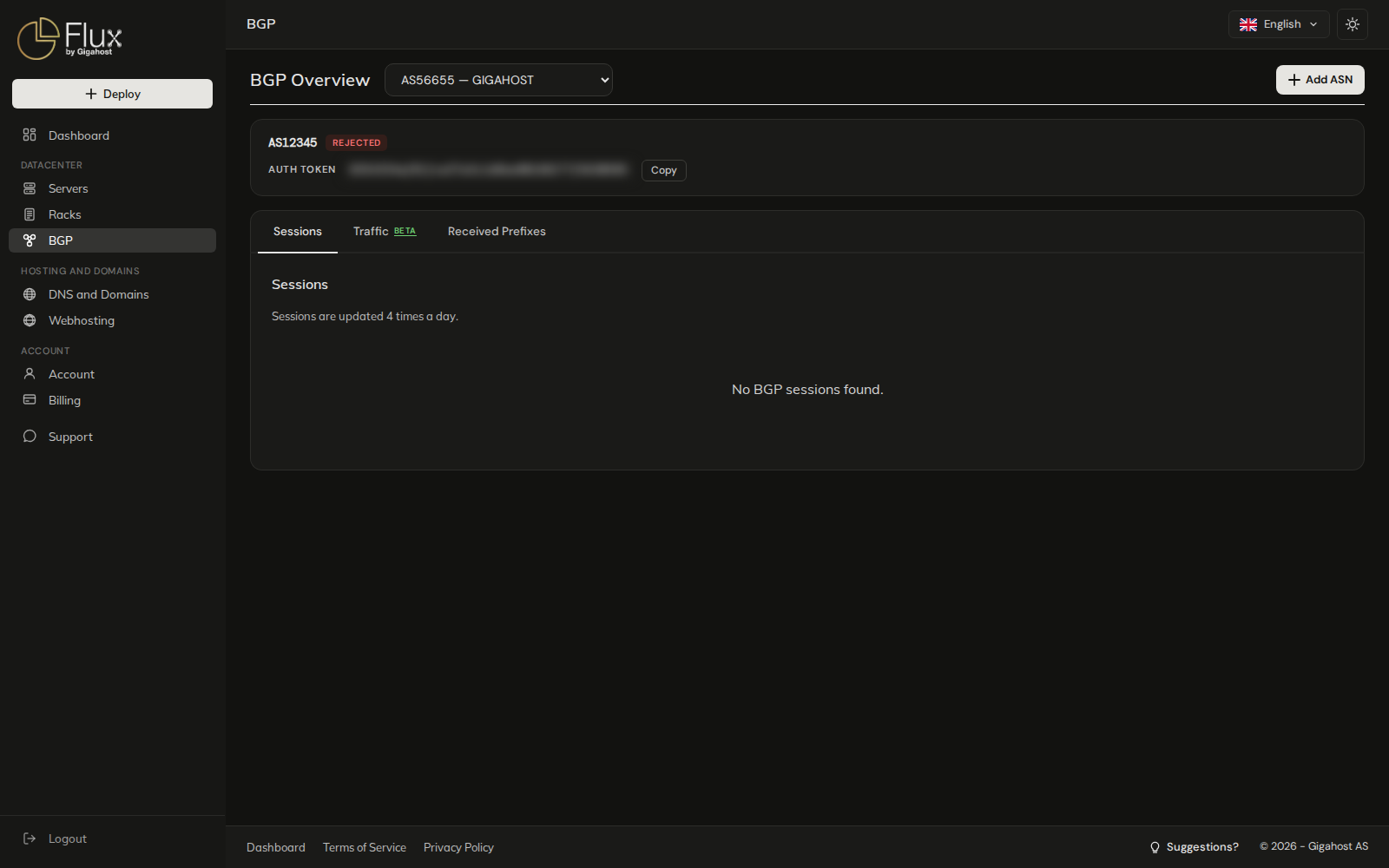
BGP is where you register your own AS with Gigahost and follow its BGP sessions.
Add an ASN
Click Add ASN, here or on a server's BGP tab, and enter the AS number.
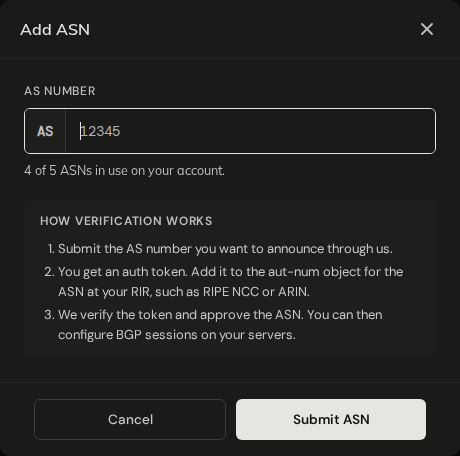
You then get an auth token, which is also emailed to you. Add the token to the aut-num object for the ASN at your RIR (RIPE NCC, ARIN and so on). Gigahost checks the token and approves the ASN by hand; there is no LOA upload. Until then the token stays on the overview with a Copy button.
You can have up to 5 ASNs on the account. Rejected ASNs count towards the limit too, and only support can remove an ASN, so contact support to free a slot.
ASN status
| Status | Meaning |
|---|---|
AWAITING VERIFICATION | Submitted, not approved yet. Add the auth token at your RIR if you have not done so. On a server's BGP tab this shows as PENDING APPROVAL. |
REJECTED | Not approved. The reason is shown next to the ASN. On a server's BGP tab this shows as LOA REJECTED: <reason>. |
After validation
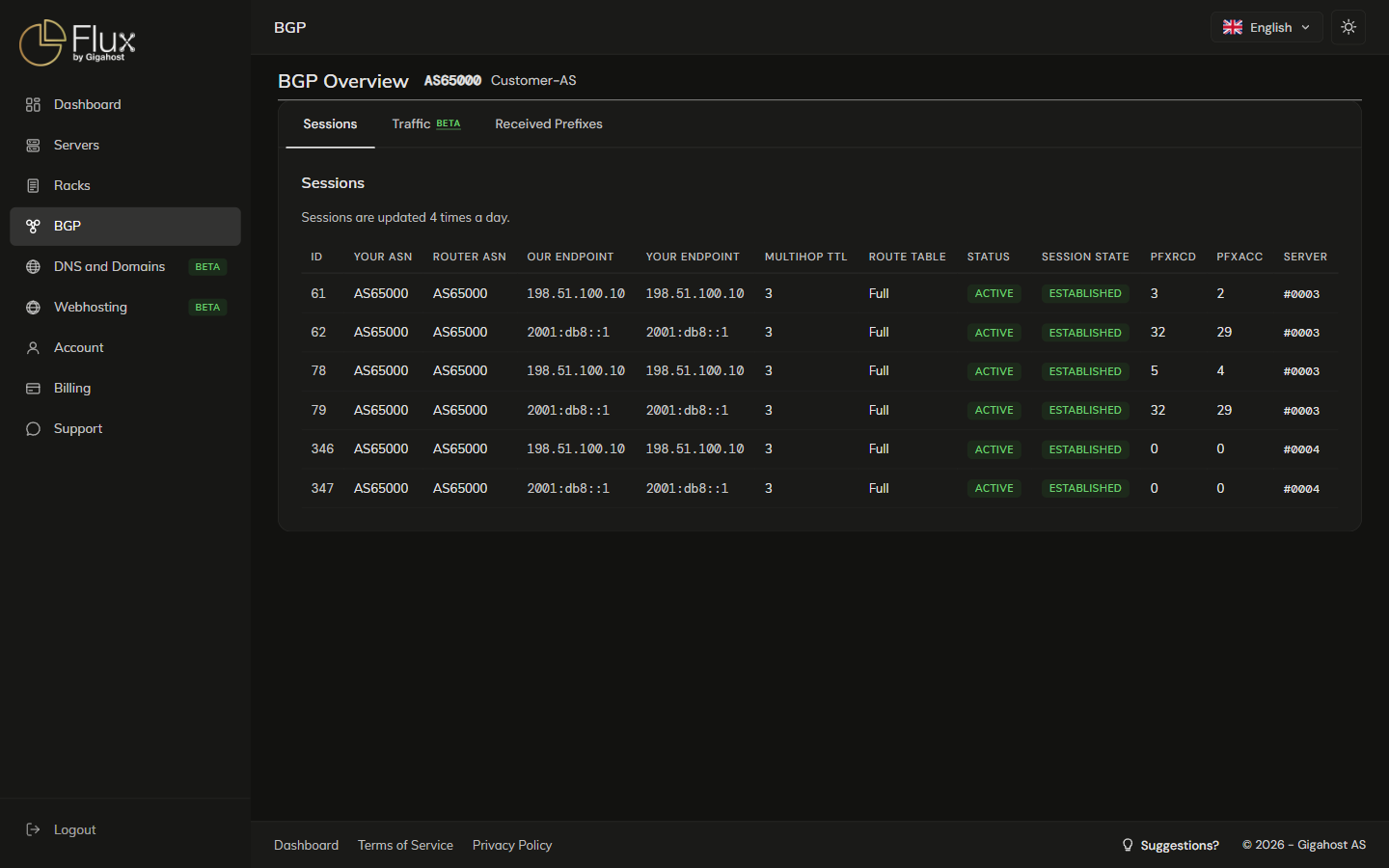
Once an ASN is approved, the overview shows its sessions, traffic and received prefixes.
Sessions tab
Each session runs on one of your servers. Sessions are created in pairs, one IPv4 and one IPv6, for each peering location. The list is updated 4 times a day.
STATUS is the provisioning on our side: Pending approval until we configure the session, Active once configured, Pending deletion after you delete it. SESSION STATE is the live BGP state. An Active session that is not ESTABLISHED is a problem on the wire, not in provisioning.
TIP
If PFXACC (accepted) is lower than PFXRCD (received), some of your prefixes are dropped by our filters, usually because of a missing or invalid RPKI record.
Traffic tab (BETA)
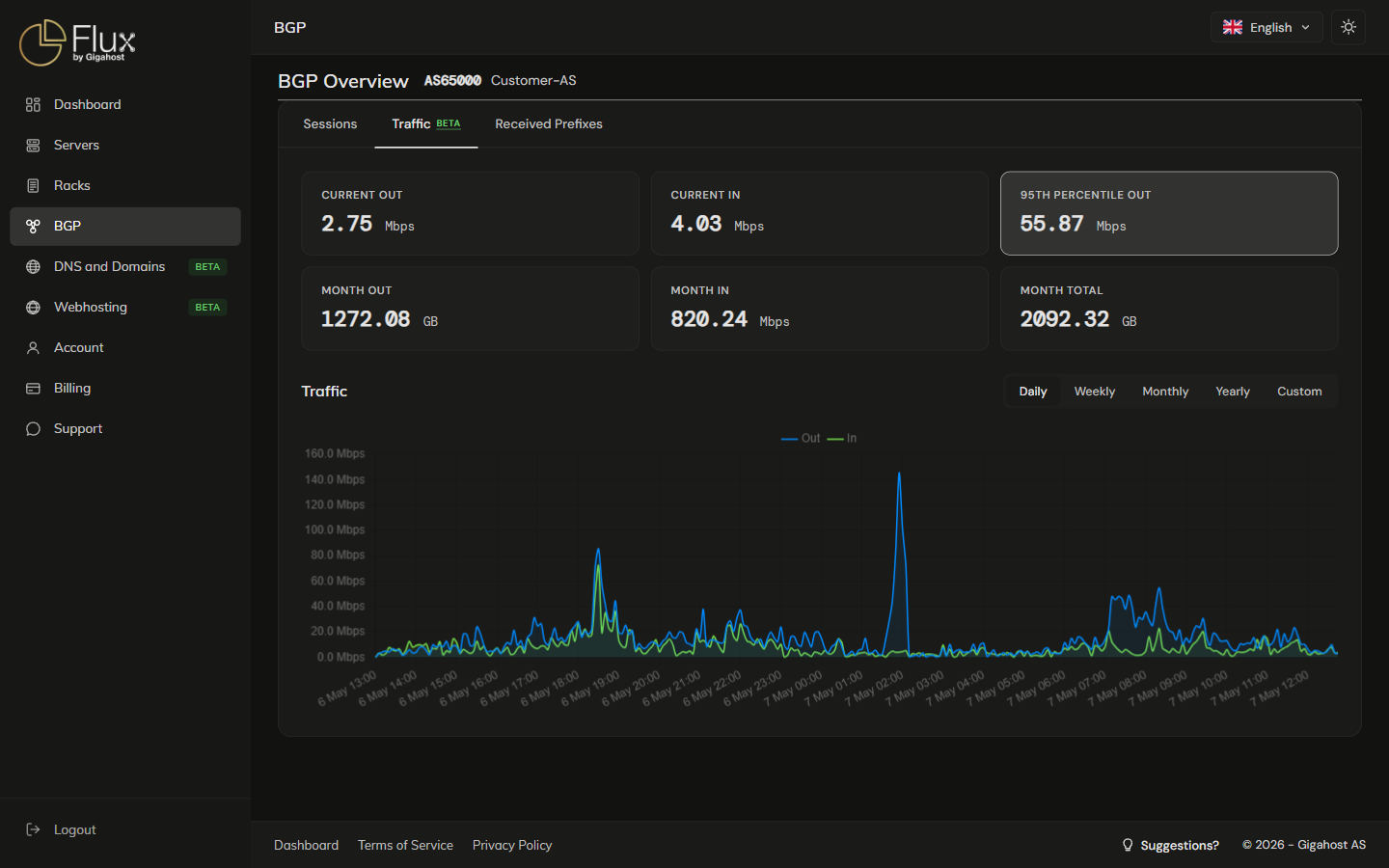
95TH PERCENTILE OUT is the 95th-percentile outbound rate over the current month, the metric used for burstable billing.
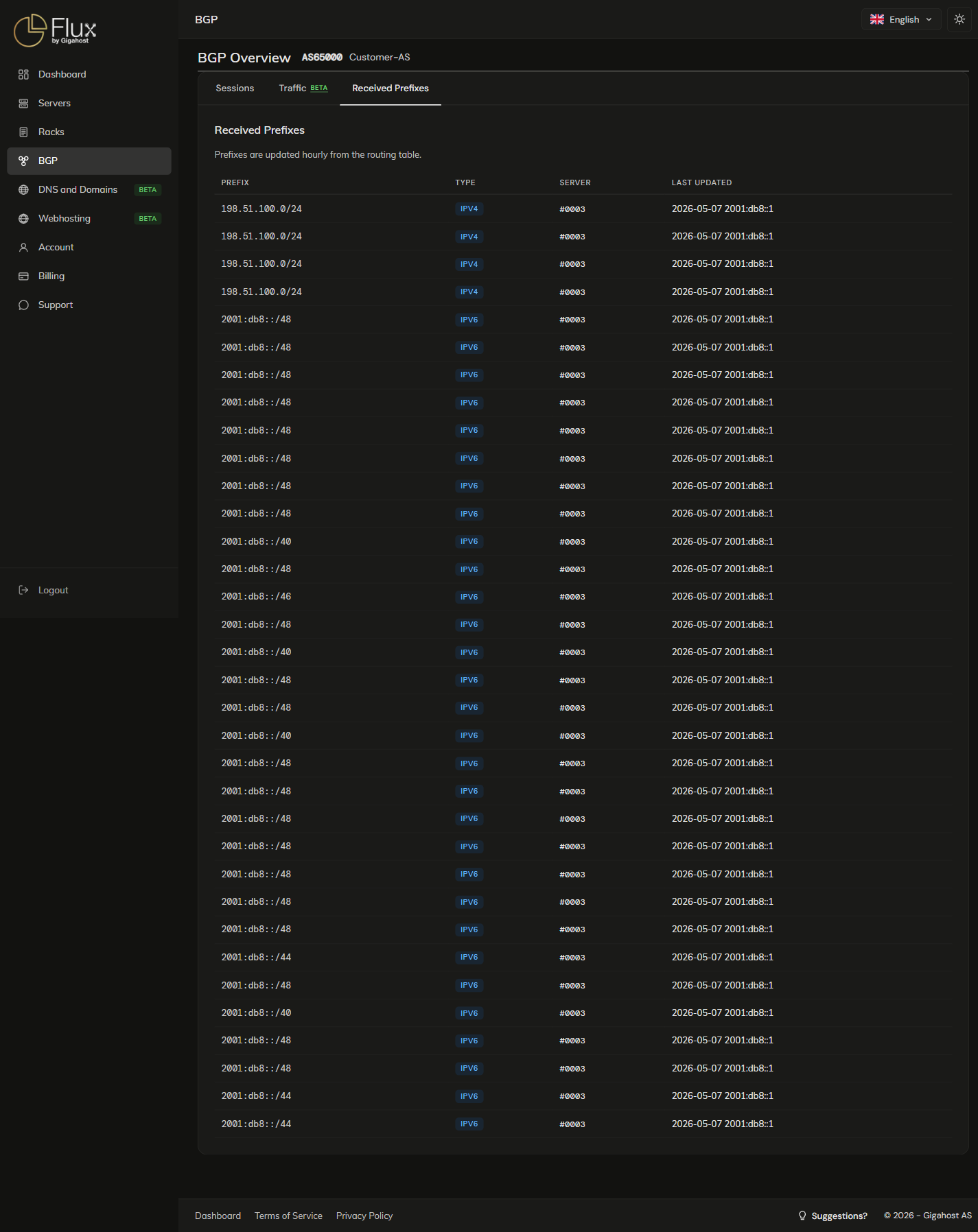
Received Prefixes tab
The prefixes Gigahost actually receives from your sessions, as opposed to what you have configured under Per-server BGP.
Per-server BGP
Sessions, filters and prefix lists are set up on the BGP tab of each server, one session per server for the same ASN. See Servers: BGP tab.