

API Keys
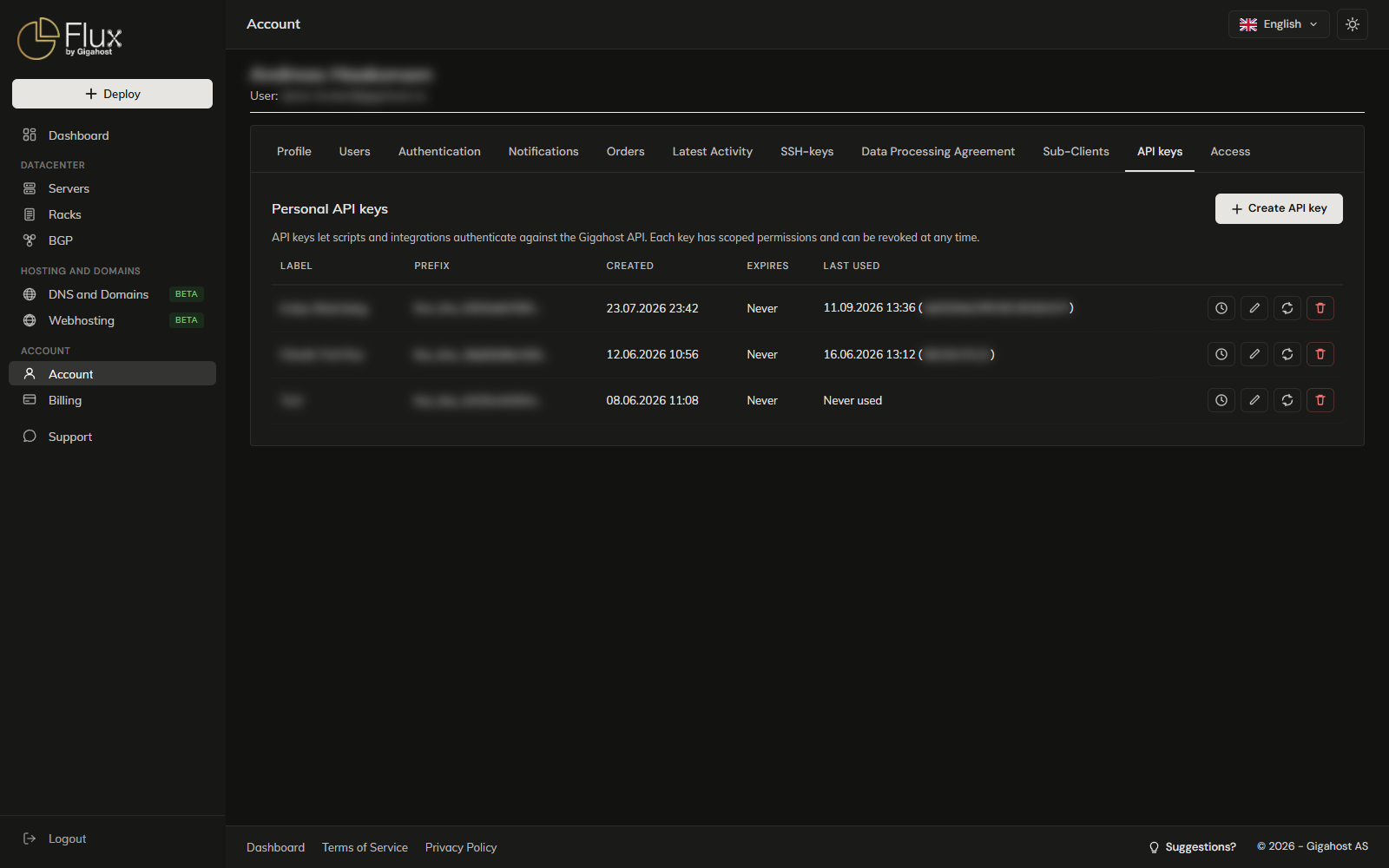
The API keys tab creates long-lived tokens for scripts and integrations that use the Gigahost API. Available to admins. Each key belongs to the admin who created it.
When to use an API key vs. password auth
| API key | POST /authenticate with password | |
|---|---|---|
| Lifetime | Long-lived; expires only when you tell it to (or revoke) | Short-lived token (re-auth periodically) |
| Permissions | Scoped per resource area | Full account access |
| Affected by password reset | No (stays valid) | Yes (all tokens invalidated) |
| Works with 2FA | Yes, no code needed | Each /authenticate call needs the current TOTP |
Use an API key for anything that runs unattended, and password auth for interactive tools that log in once per session.
Creating a key
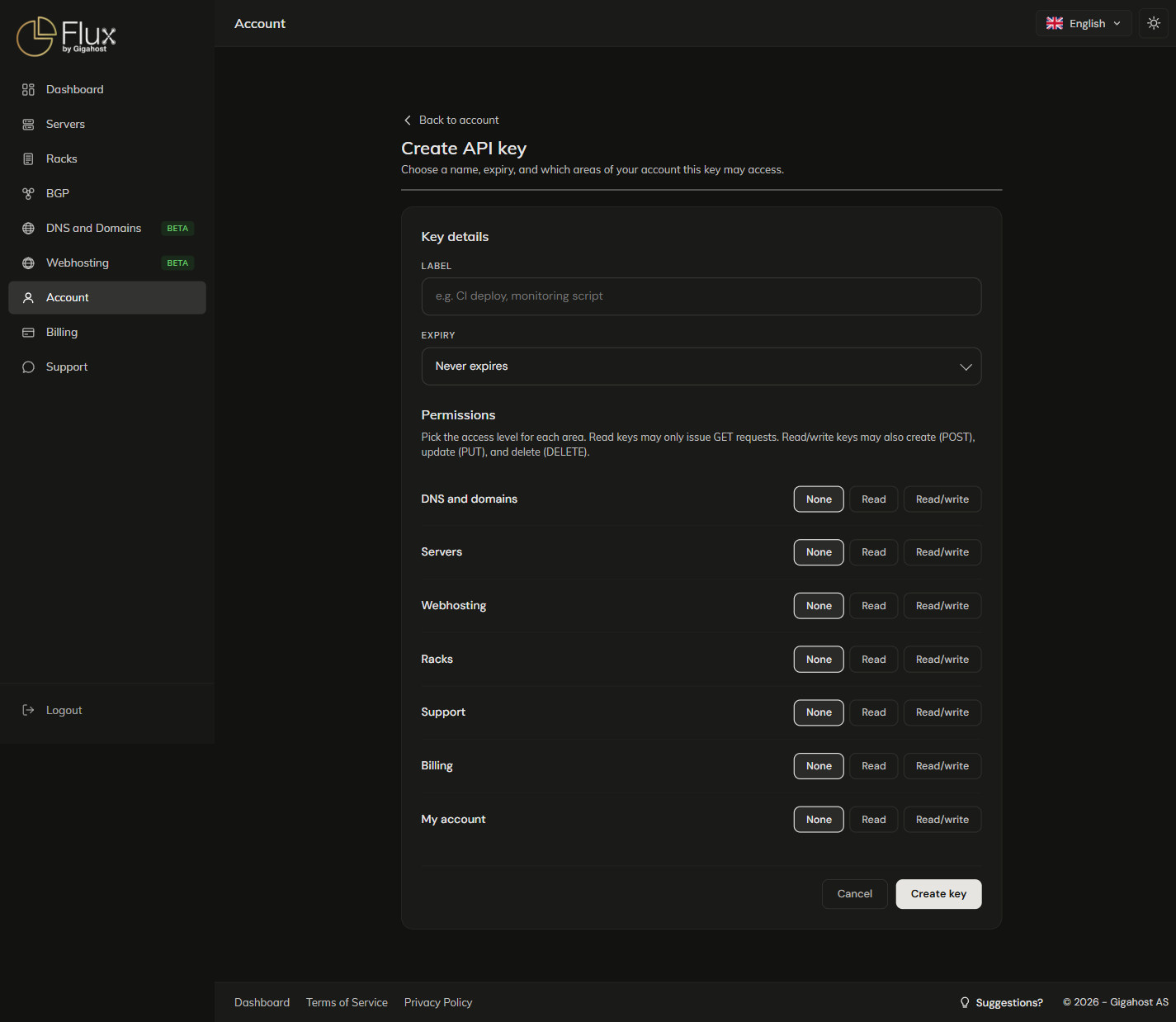
The Label is the only way to tell keys apart in the list. It takes up to 100 characters; < > " ' & are refused. The expiry cannot be changed after the key is created.
Permissions
Each area is None, Read (GET requests) or Read/write (also POST, PUT and DELETE).
| Area | What it controls |
|---|---|
| DNS and domains | DNS zones and records, domain registration, registrant/nameserver/DNSSEC updates, redirects, PTR zones. |
| Servers | Server lifecycle, power, reinstall, snapshots, ISO, upgrade, IP ordering. |
| Webhosting | Webhosting accounts: mailboxes, databases, DNS, SSL, apps, files, backups. |
| Deploy | Ordering new servers through Deploy. |
| Racks | Colocation racks, units, PDUs. |
| Support | Support tickets: list, create, reply, close. |
| Billing | Invoices, payment method, top-up. |
| My account | Profile, contacts, address, billing email. |
DNS and domains, Servers and Webhosting can be limited to selected zones, servers or hosting accounts.
TIP
Grant only what the integration needs. A monitoring script usually needs Servers: Read, limited to the servers it watches.
Using the key
The token is shown once, right after you create it. Copy it before you leave the page. If you lose it, rotate the key or create a new one.
Send it as a bearer token, the same way as one from POST /authenticate:
curl https://api.gigahost.no/api/v0/servers \
  -H "Authorization: Bearer $GIGAHOST_API_KEY"
See API → Authentication for the full request shape.
Managing keys
The Prefix is the first 22 characters of the secret and the only part Flux keeps in clear text. Use it to match a key against your own configuration. Last used shows the time and IP of the most recent request.
Editing a key
You can change the label and the permissions. To change the expiry, create a new key and revoke the old one.
Rotating the secret
Rotate secret replaces the secret and keeps the label, permissions and expiry. The old secret stops working at once, so have the integration ready for the new value before you rotate. The new secret is shown once. Only active keys can be rotated.
Usage log
The usage log lists the key's most recent requests, with the request and response bodies. Request bodies are stored up to 4 KB and response bodies up to 16 KB. To find out what a leaked key has been doing, check the IPs here before you decide between rotating and revoking.
Revoking a key
WARNING
A revoked key stops working at once. This cannot be undone, and the key can no longer be edited or rotated.