

Billing
Billing holds the payment method, invoices, hourly usage and prepaid credit on the account.
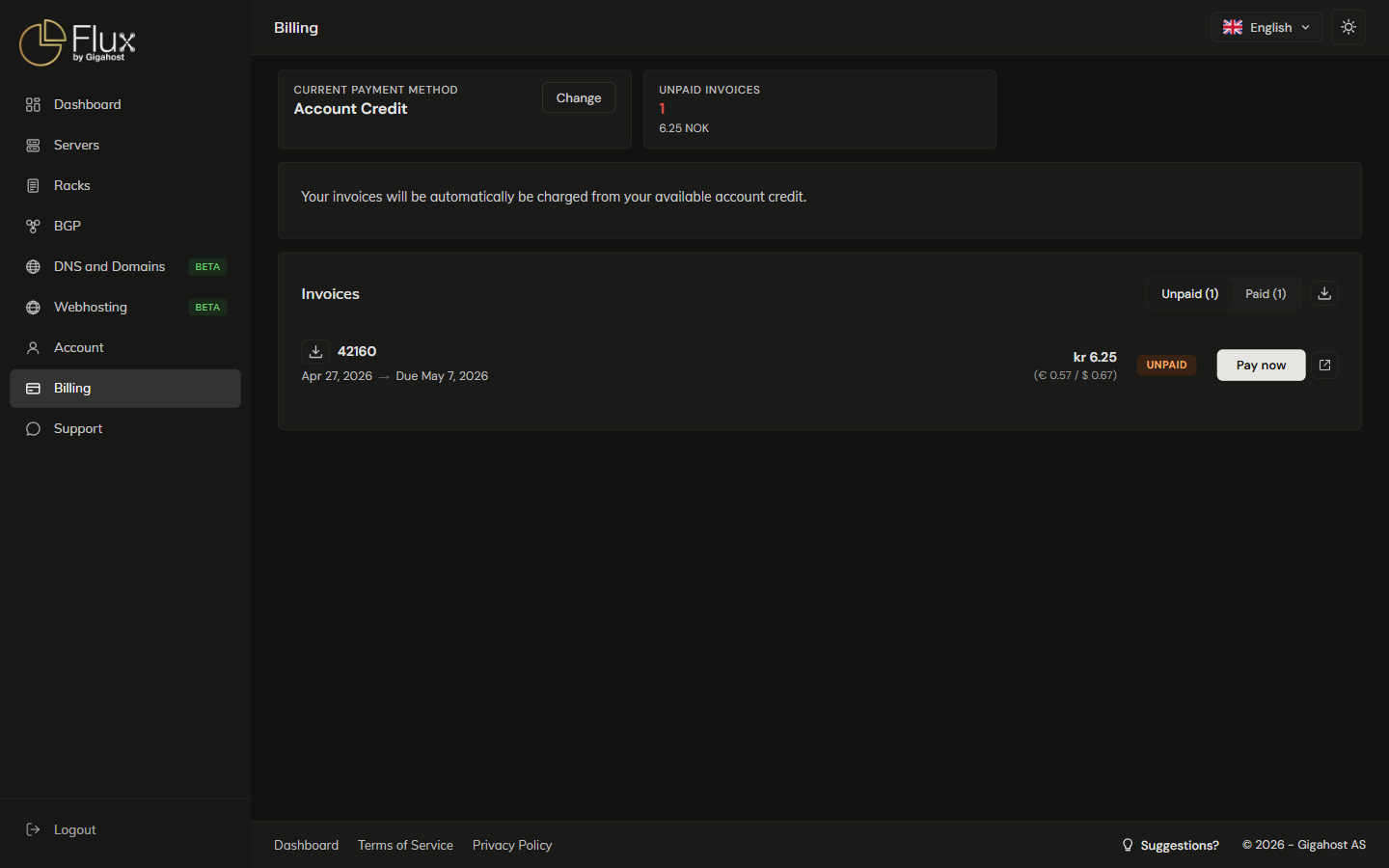
Current payment method
Click Change to switch to another payment method.

Available payment methods
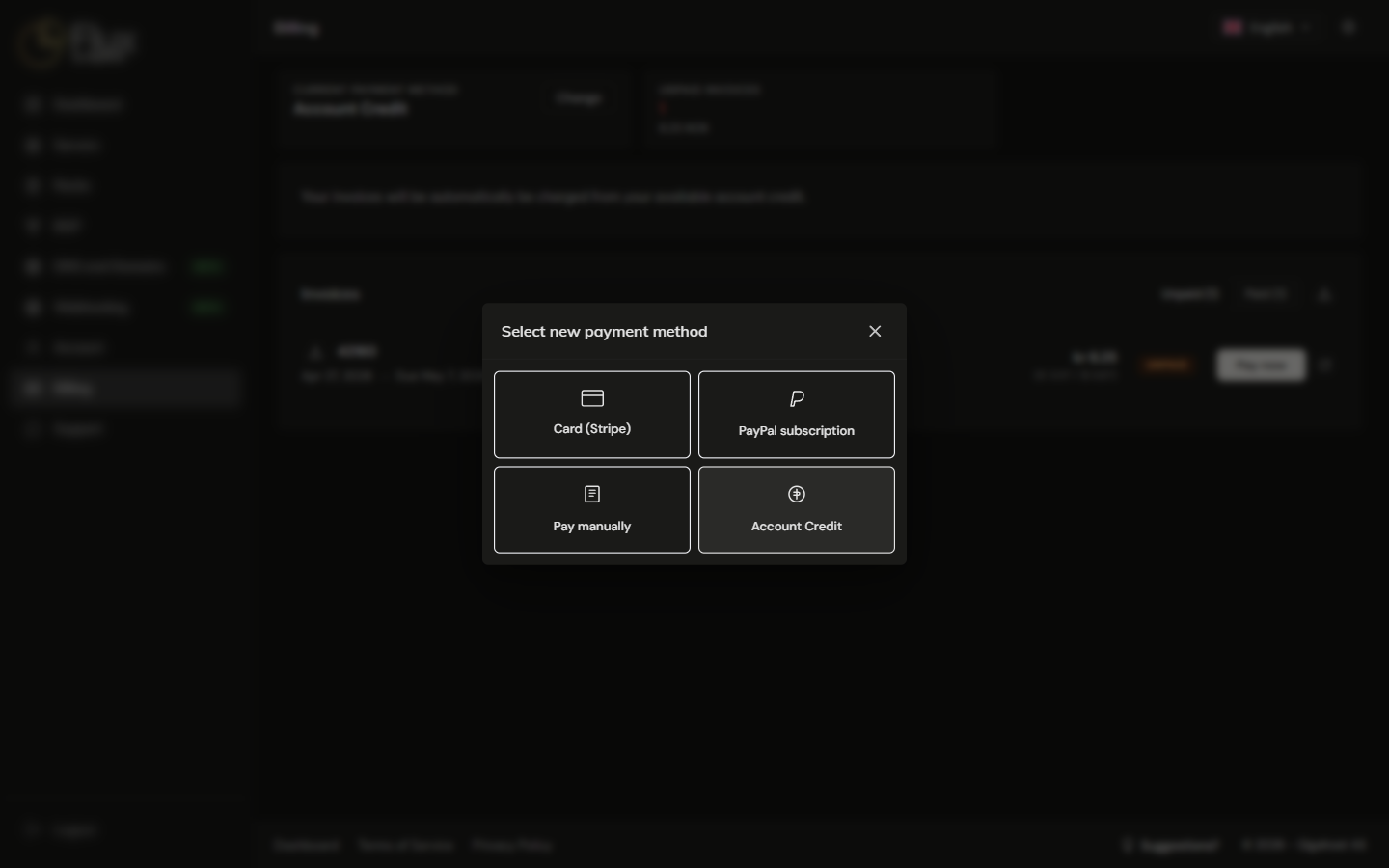
- Card (Stripe) and PayPal subscription charge new invoices automatically.
- Pay manually charges nothing automatically. You pay each invoice with Pay now, or after Gigahost support contacts you.
- Account Credit deducts invoices from the prepaid balance you have topped up.
Cards on file
New invoices are charged to the Primary card. Make primary moves the charge to another card. The last card on file cannot be removed.
A Prepaid card is a prepaid or virtual card. It can pay invoices, but it does not count as an automatic payment method for hourly billing.
Hourly services
Hourly services are billed in arrears at the end of the month, and the monthly cost is capped at the regular monthly price.
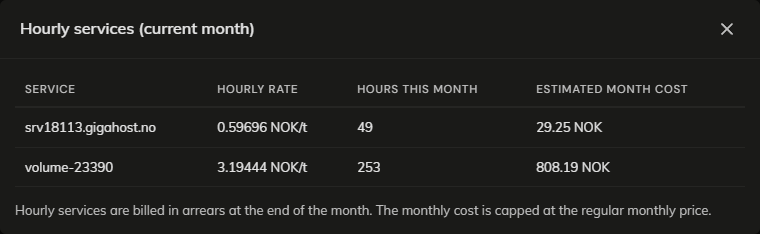
On some accounts hourly usage is limited by the available account credit. Flux warns as the usage gets close, and the services are suspended when it reaches the full amount. A suspended service is powered off but keeps costing the hourly rate until you top up or terminate it.
To move an hourly server to monthly, quarterly or annual billing, change the term on its order under Account → Orders. The switch cannot be undone.
Invoices
The CSV export includes the services on each invoice. Amounts are in NOK with the EUR and USD equivalents. An unpaid invoice shows Overdue once its due date has passed. A crypto payment shows Confirming crypto payment while it waits for confirmation; you do not need to do anything.

TIP
The external payment link (/payment/<token>) on an unpaid invoice works for anyone, not just the account owner. Send it to whoever pays the bill.
Paying an invoice
Which options Pay now offers depends on the account and the invoice.
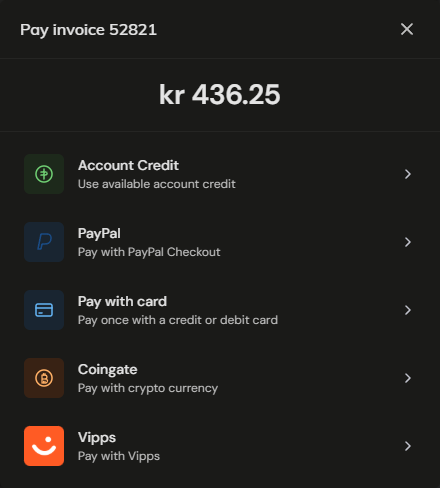
- Account Credit is only offered when the account has credit, and never for a top-up invoice.
- Pay with card pays once. Tick Save this card for future invoices to keep the card on file.
- Coingate sends you to a crypto invoice. Until the payment is seen, the invoice shows
Awaiting crypto paymentand you can reopen the crypto invoice from Pay now. - Vipps is only offered for invoices in NOK, and only when Vipps is enabled on the account.
Top up account
Top-up adds prepaid credit in NOK, USD or EUR. Credit is spent on future invoices before any other payment method. Paying a NOK invoice with USD or EUR credit costs a 2% conversion fee, so top up in NOK.
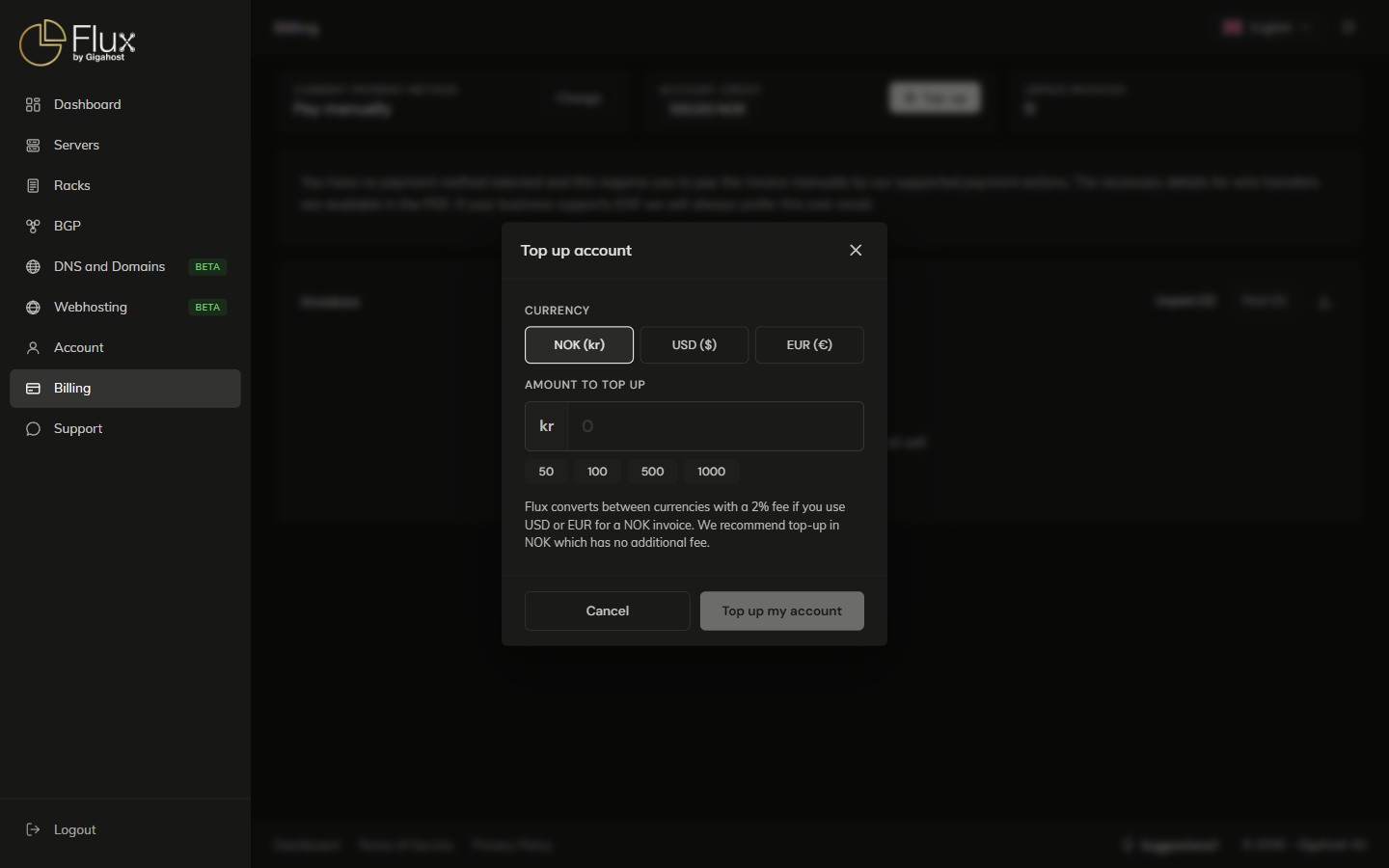
A top-up creates an invoice, and the credit is added when it is paid. It cannot be paid with Account Credit. An account can have at most five unpaid top-up invoices.
Remove top-up invoice cancels an unpaid top-up invoice without adding credit. This cannot be undone. A paid top-up invoice cannot be removed.