

Manage a domain
A domain registered with Gigahost is managed from the top of its zone page. Records and redirects are covered in DNS zones and records, signing in DNSSEC.
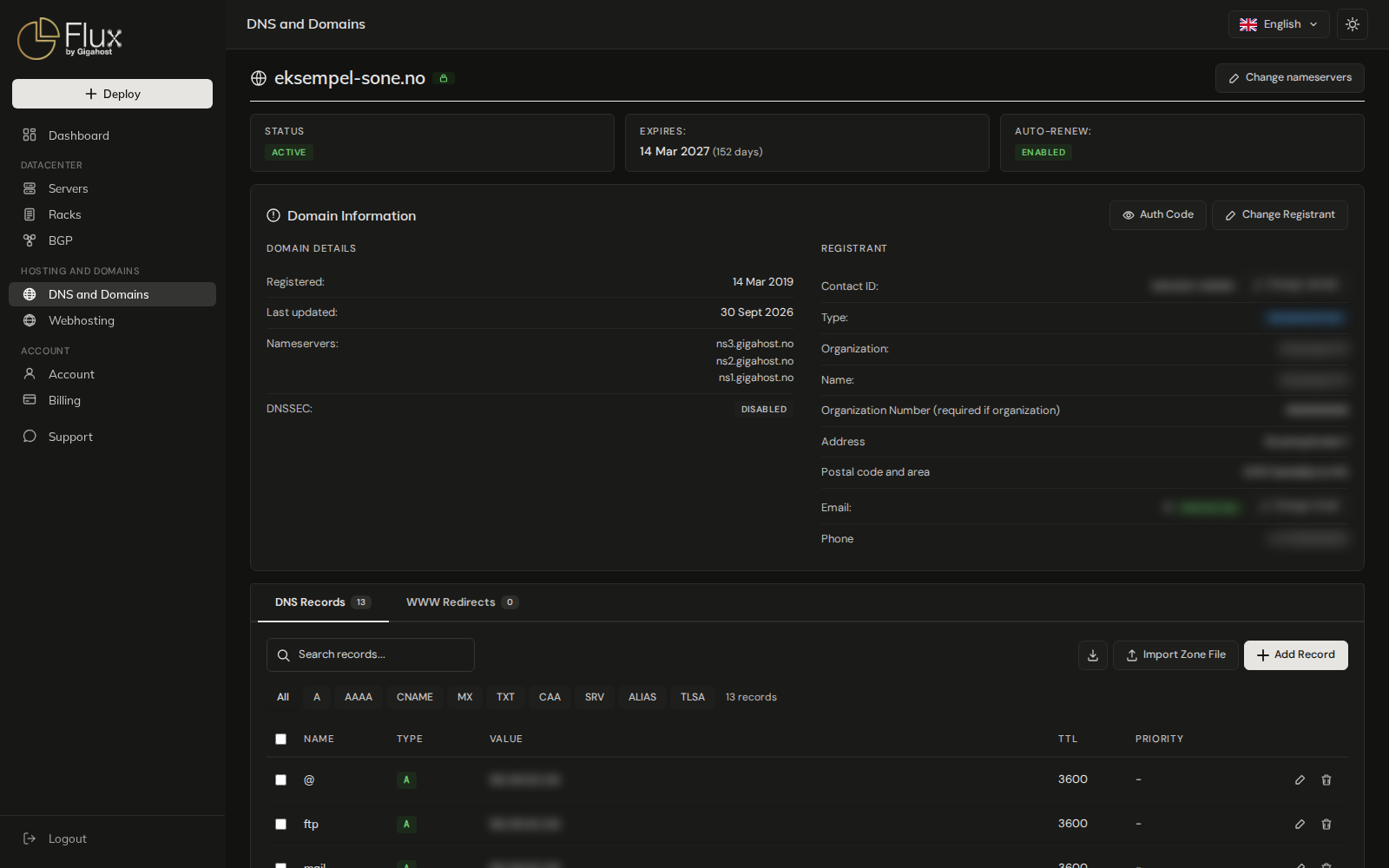
Domain status
| Status | Meaning |
|---|---|
PENDING | The registry has not confirmed a new registration yet. |
TRANSFER PENDING | A transfer to Gigahost is running. See Transfer a domain. |
ACTION REQUIRED | The registry is waiting for the registrant to do something. Follow the email from the registry or contact Support. |
DOCUMENTATION REQUIRED | The registry asks the registrant for documentation. Follow the email from the registry or contact Support. |
EXPIRED | The expiry date has passed without a renewal. See What happens at expiry. |
CANCELLED, FAILED | The registration or transfer was stopped. Contact Support if you did not expect it. |
SUSPENDED | Suspended by Gigahost. The reason is shown on the page; contact Support. |
Auto-renew
Auto-renew is on for every new domain. Gigahost invoices the renewal ahead of the expiry date and renews the domain at the registry. Switch it with the ENABLED / DISABLED badge.
- Turning it off cancels the renewal. An unpaid invoice for the coming renewal is credited. If the renewal is already paid, the domain is renewed once more and then expires.
- Turning it on again schedules the next renewal invoice, or issues one right away when the renewal is already due.
The credited or new invoice comes by email and shows under Billing.
Auto-renew cannot be changed while the domain is pending at the registry. An expired domain with a TLD other than .no may no longer be renewable; Flux then answers The domain has expired and can no longer be set to renew automatically. Please contact support to restore it.
What happens at expiry
If the renewal invoice is still unpaid, you get a reminder by email 29, 14 and 7 days before the expiry date. When a domain expires without renewal, its status becomes EXPIRED and you get an email with the date the registry will delete it: 90 days after expiry for .no, 30 days for other TLDs. Once the registry has deleted the domain, Gigahost removes its DNS zone from Flux.
Auth code and transfer out
To move a domain to another registrar you need its auth code, shown with Auth Code on the Domain Information card. You cannot generate a new auth code yourself. If the receiving registrar refuses the code, contact Support.
.be: when no code is shown, request the transfer code at dns.be. DNS Belgium sends it to the registrant's email address..co.ukand other.uk: these domains have no auth code. Click Transfer out and enter the Nominet IPS tag of the registrar you are moving to. The domain moves once the registry has processed the change.
Change nameservers
Change nameservers at the top of the zone page sets the nameservers at the registry. Enter at least two and at most six.
Every nameserver you enter must already answer for the domain. If one does not, the old nameservers are put back, with Unable to verify nameservers being authoritative for the zone <domain>. Reverting changes. Set up the zone at the new DNS provider before you switch.
.no domains lose DNSSEC
Changing the nameservers of a .no domain removes its DNSSEC records at Norid and turns DNSSEC off. Turn it on again afterwards, see DNSSEC.
With nameservers other than Gigahost's, the records in Flux are kept but are not what the internet sees, and WWW redirects stop working. To manage DNS in Flux again, change the nameservers back to ns1.gigahost.no, ns2.gigahost.no and ns3.gigahost.no.
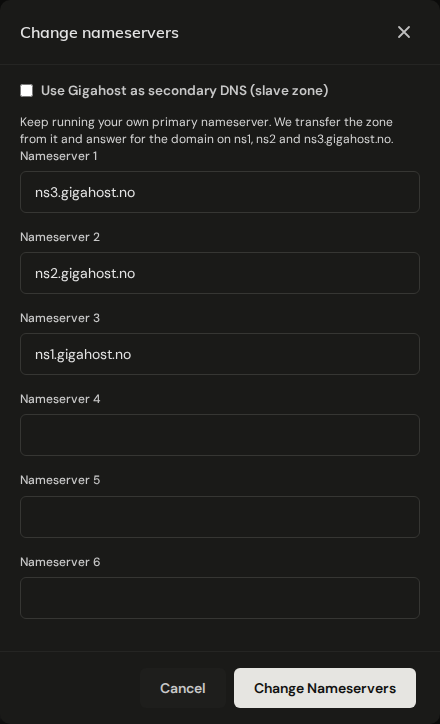
For .no, nameserver hostnames that Norid does not know yet are created at Norid automatically. Gigahost as secondary DNS (slave zone) is not available at the moment.
Change the registrant
Change Registrant transfers the legal ownership of the domain to someone else.
.no domains
You need the new owner's organisation number or Norid PID.
WARNING
A registrant change makes the new registrant the legal owner of the domain, and a new annual fee is invoiced for it.
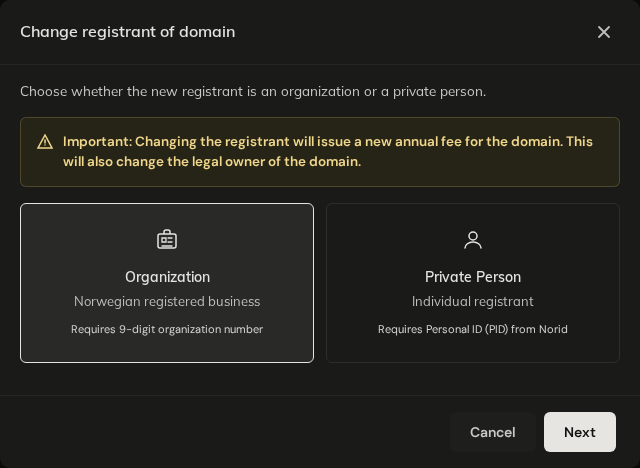
The change takes effect at once and the expiry date is updated from Norid.
Other TLDs
The same identification numbers as at registration apply. The change takes effect once the registry has completed it.
TLDs where Support makes the change
For .fi, .be, .fr, .re, .pm, .yt, .tf and .wf, Support makes the change, because these registries need a code or document from the registrant. Contact Support.
Contact details and email protection
Change Email updates the registrant's email address. With Enable email protection (hide from WHOIS) ticked, the registry publishes a forwarding address instead of the real one, and mail to it is forwarded to the address you enter. The email address of a .be domain cannot be changed here.
For .no domains, Change details updates the address and phone number of the contact. The organisation name always comes from the Brønnøysund Register Centre. Switch contact puts another of your contacts with the same owner on the domain; it does not change the owner.