

Set up reverse DNS (PTR) on a routed /48 IPv6
Create a reverse DNS zone for your routed IPv6 /48, delegate the prefix to it and add PTR records for addresses inside it. The examples use the prefix 2a03:94e0:abcd::/48 and a PTR for 2a03:94e0:abcd::1 resolving to server.example.com.
Prerequisites
- A server with a routed IPv6
/48. - At least one IPv6 address from the
/48configured on the server (or planned). See Configure your routed /48 IPv6 prefix. - The hostname (FQDN) the address should reverse-resolve to.
1. Confirm the routed /48 in the panel
On the server's Network tab, the /48 under Subnets should read ROUTED IPV6.

If it reads UNROUTED IPV6, the prefix is allocated but not routed yet:
- On a VPS the
/48is routed by default. Contact us. - On a dedicated server routing may need to be enabled by us. Open a support ticket and we will activate it.
2. Open DNS management
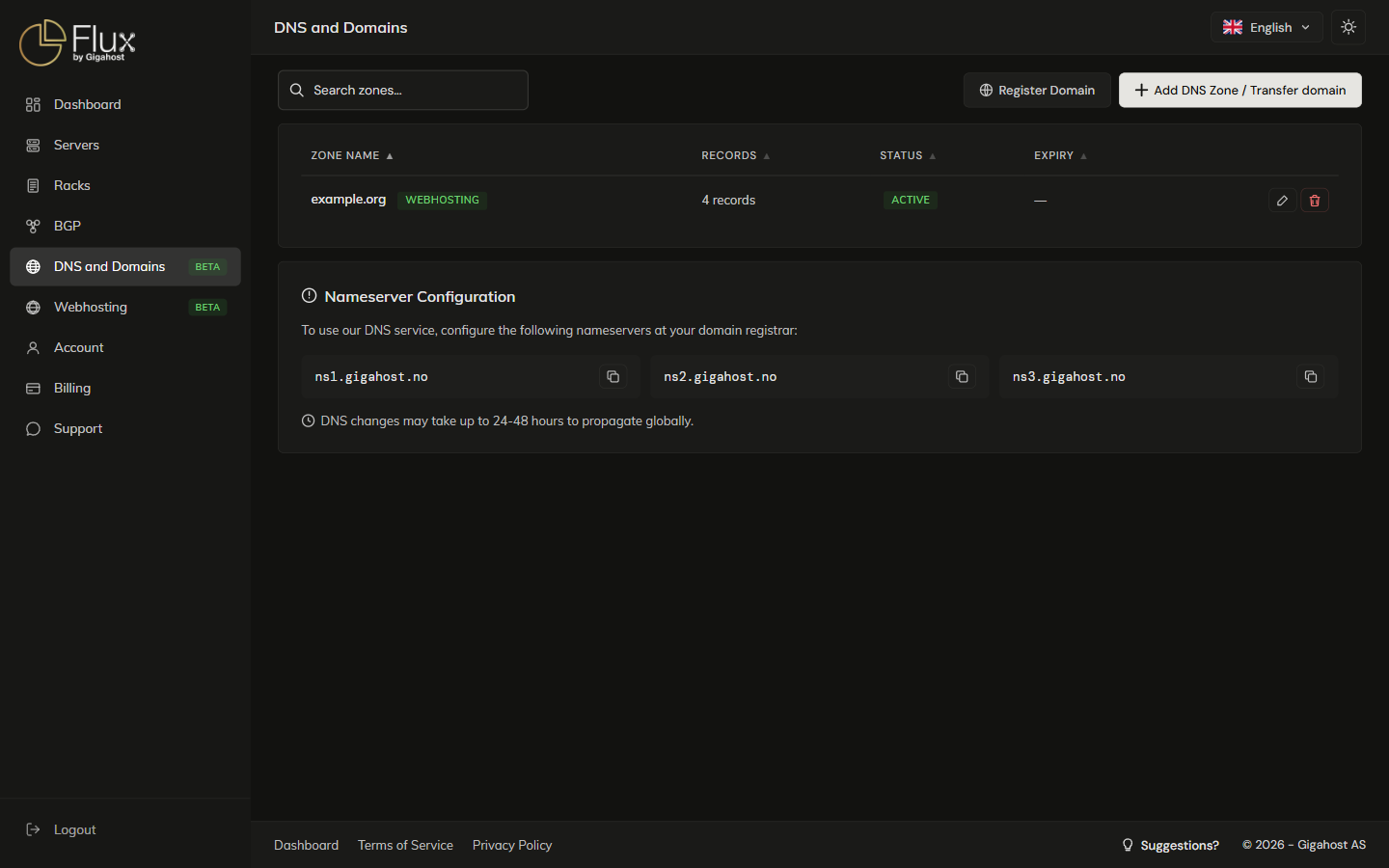
Click DNS and Domains in the sidebar.
3. Create a reverse-DNS (PTR) zone for the /48
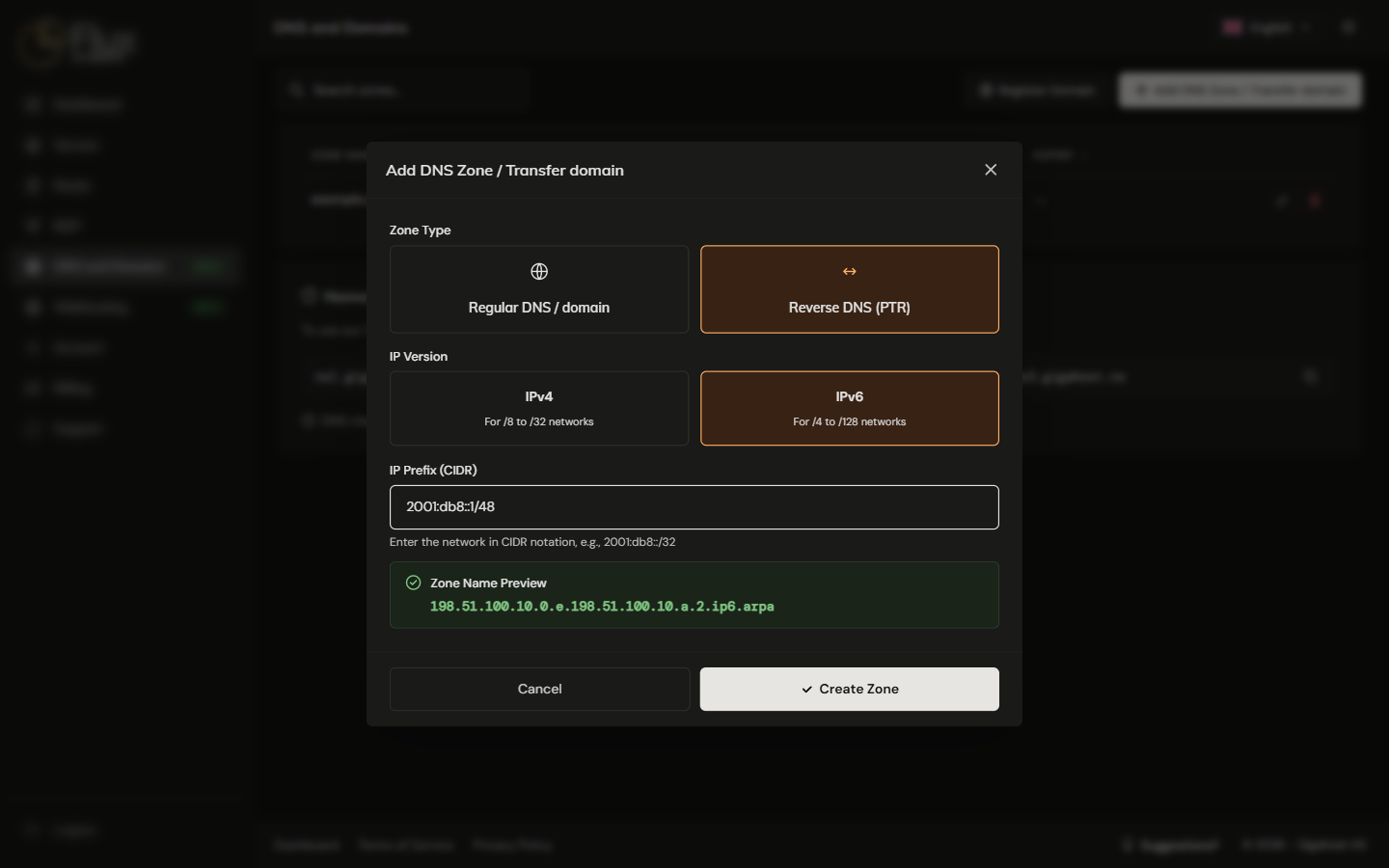
Click Add DNS Zone / Transfer domain and fill in:
| Field | Value |
|---|---|
| Zone Type | Reverse DNS (PTR) |
| IP Version | IPv6 |
| IP Prefix (CIDR) | The routed prefix from step 1, for example 2a03:94e0:abcd::/48 |
Click Create Zone.
4. Verify the new PTR zone
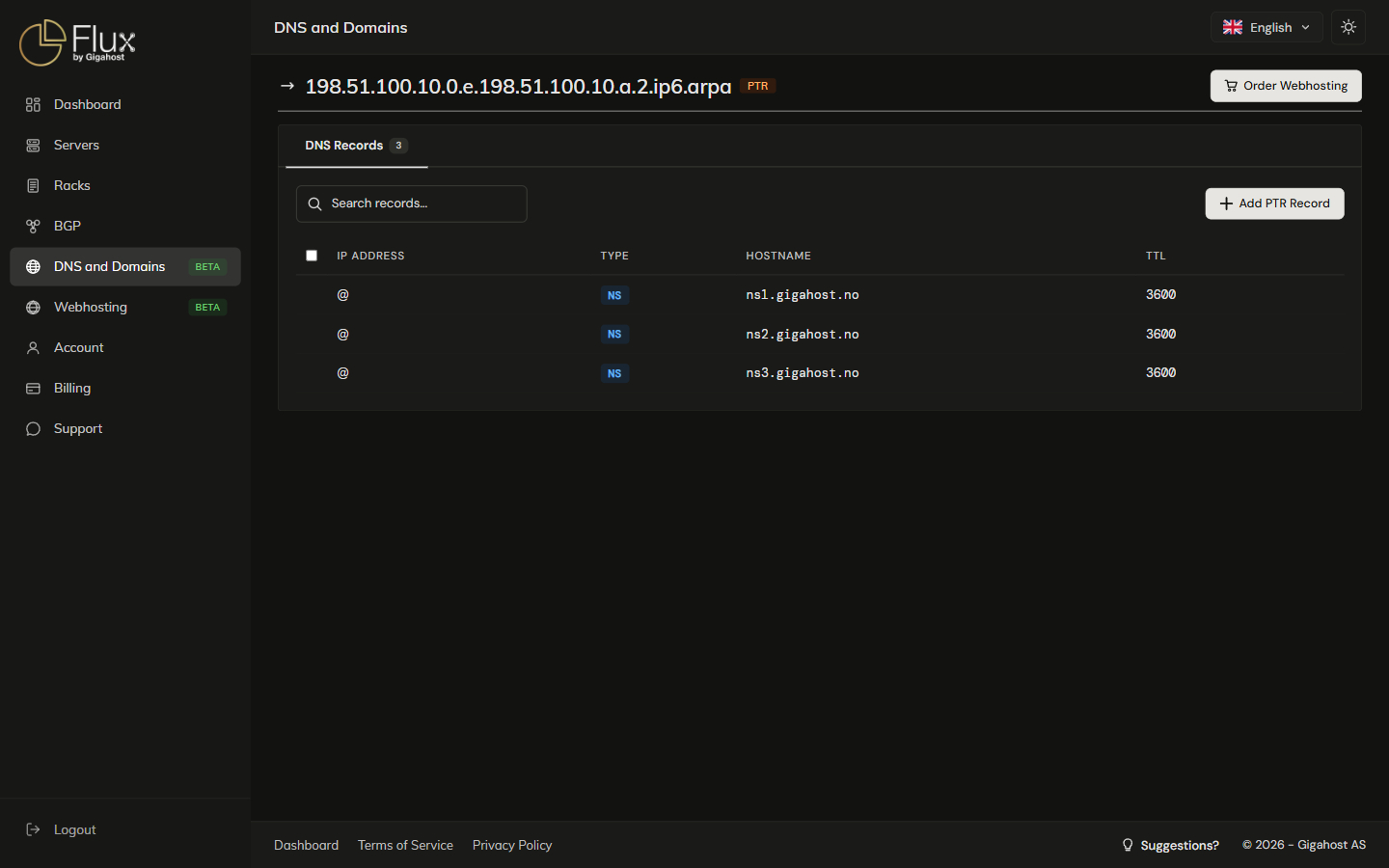
Note the nameservers in the new zone's NS records. You need them in the next step.
5. Delegate the prefix to those nameservers
On the server's Network tab, set the Nameserver fields in the ROUTED IPV6 row to the nameservers of the PTR zone (typically ns1.gigahost.no and ns2.gigahost.no). Without this delegation, reverse lookups for the /48 never reach the zone.

6. Add a PTR record
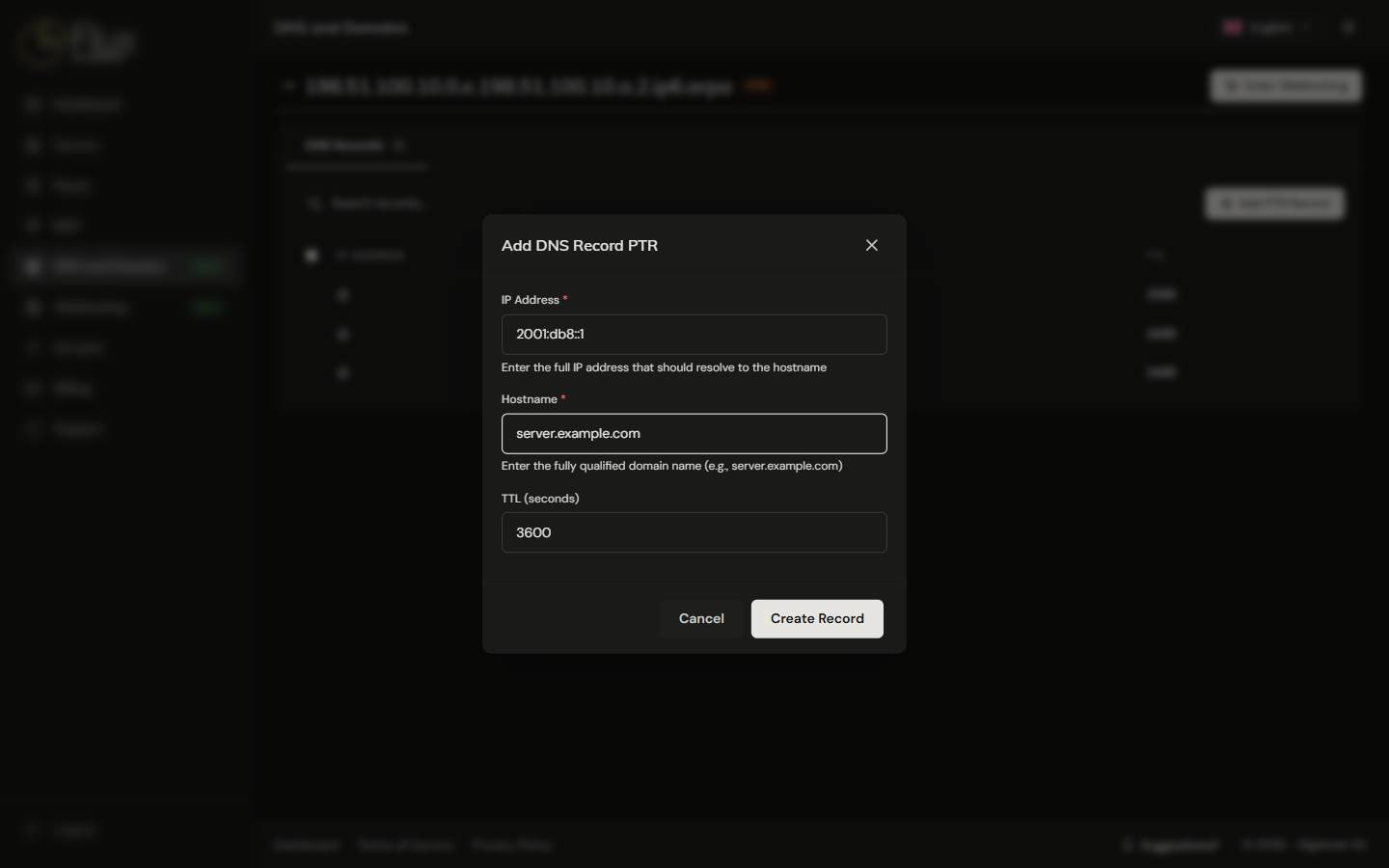
On the PTR zone page, click Add PTR Record. Enter the full IPv6 address (for example 2a03:94e0:abcd::1) and the hostname it should resolve to (for example server.example.com), and click Create Record. The TTL defaults to 3600.
7. Confirm the PTR record exists
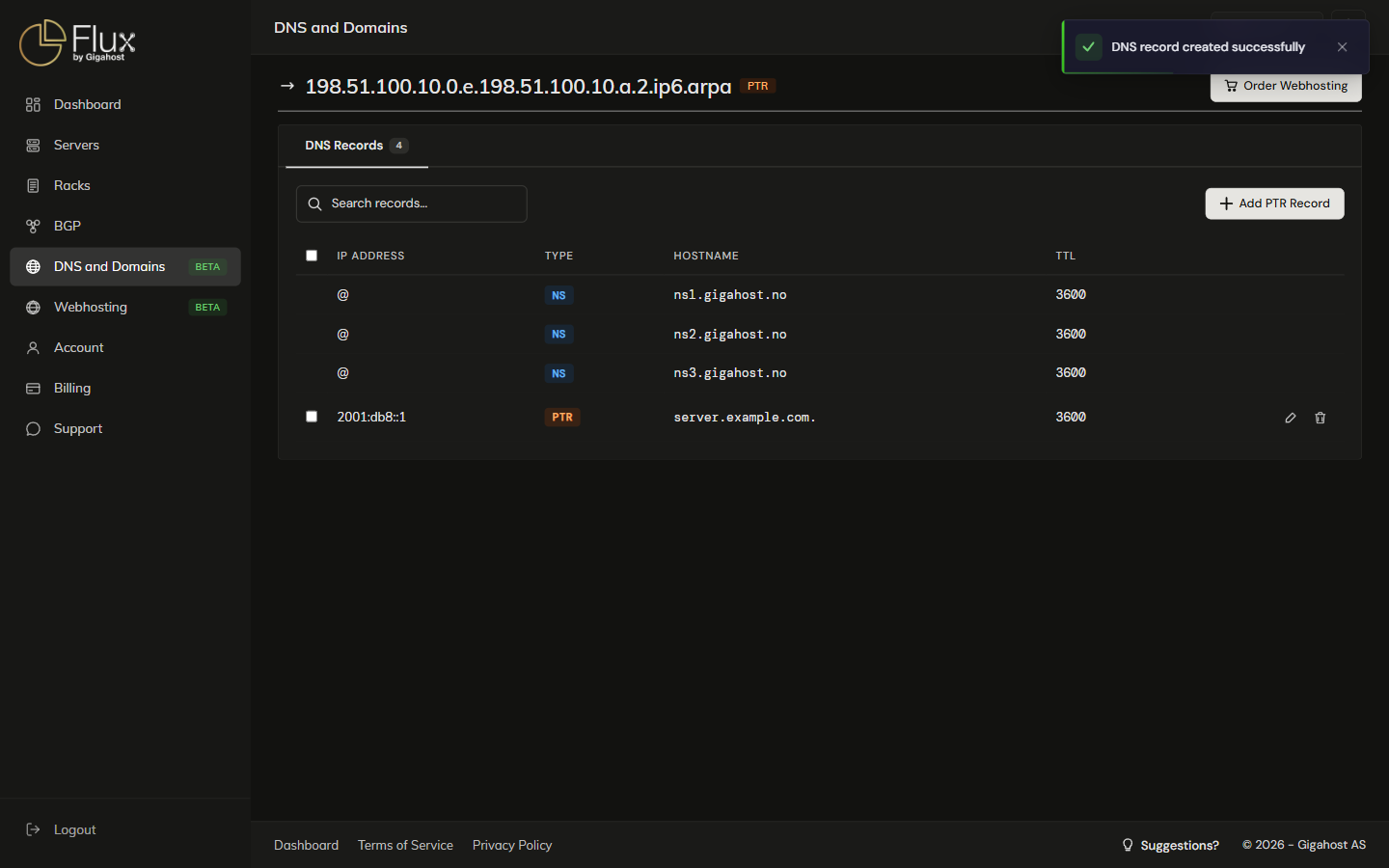
8. Match it with a forward AAAA record
Mail systems in particular require forward-confirmed reverse DNS: the hostname in the PTR must have an AAAA record pointing back to the same address. Add it in the forward zone for example.com:
server.example.com. AAAA 2a03:94e0:abcd::19. Verify with dig
# Reverse lookup (PTR)
dig -x 2a03:94e0:abcd::1 +short

# Forward lookup (AAAA)
dig AAAA server.example.com +short
The PTR query should return your hostname, and the AAAA query the same IPv6 address.
TIP
DNS changes can take a few minutes to reach public resolvers. If dig against 8.8.8.8 returns nothing, query the authoritative nameserver directly: dig -x 2a03:94e0:abcd::1 @ns1.gigahost.no +short.